Features · Extra
What you take, joined to how you train and sleep.
Extra is the mode for supplements and medication. A pill reminder doesn’t know you trained this morning; Extra does. It knows when you train, when you lift, when you eat and when you sleep, so your list fits the day you are actually having — and it shows what your nights looked like afterwards. Free, no account, data on your iPhone.
Information, not a diagnosis or medical advice. Talk to a doctor or pharmacist about anything medical.
Today, in one card.
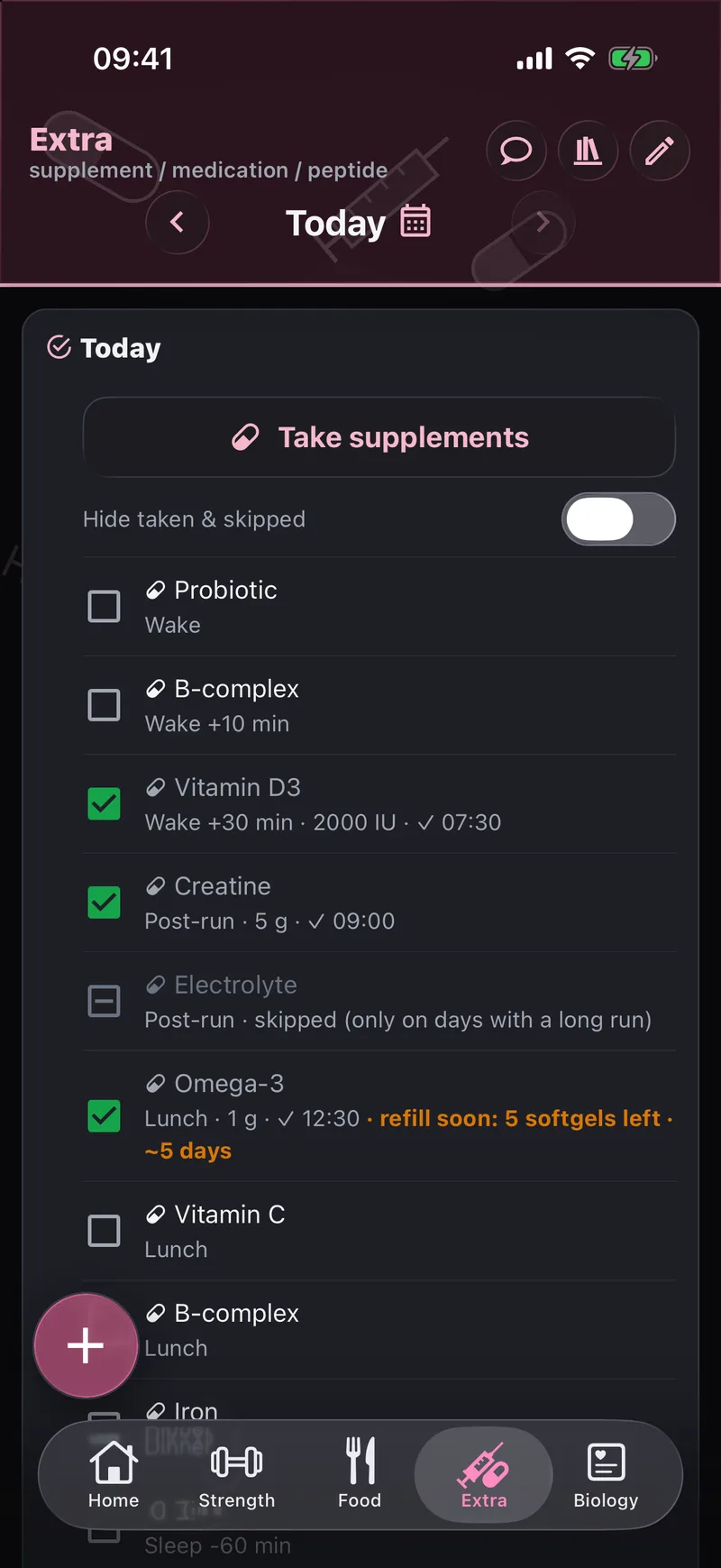
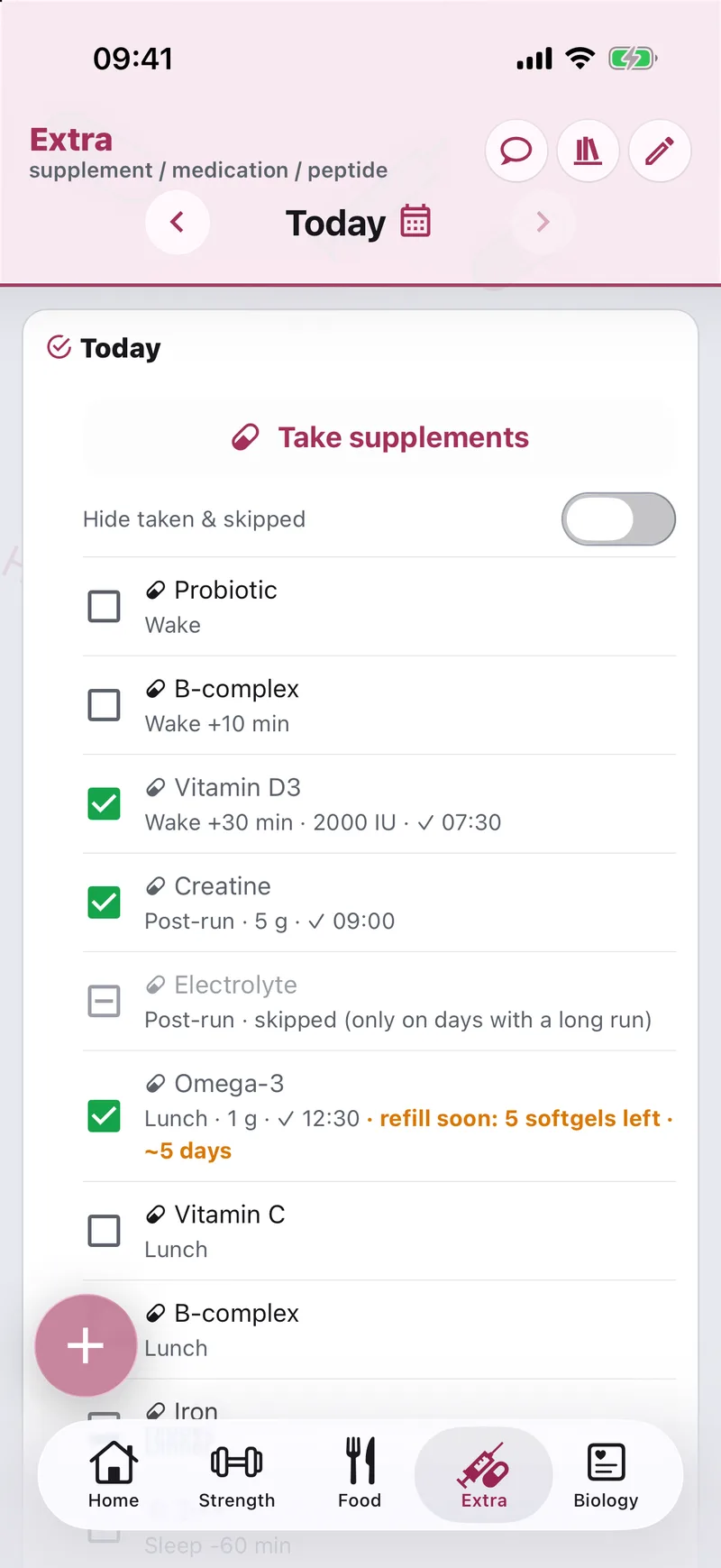
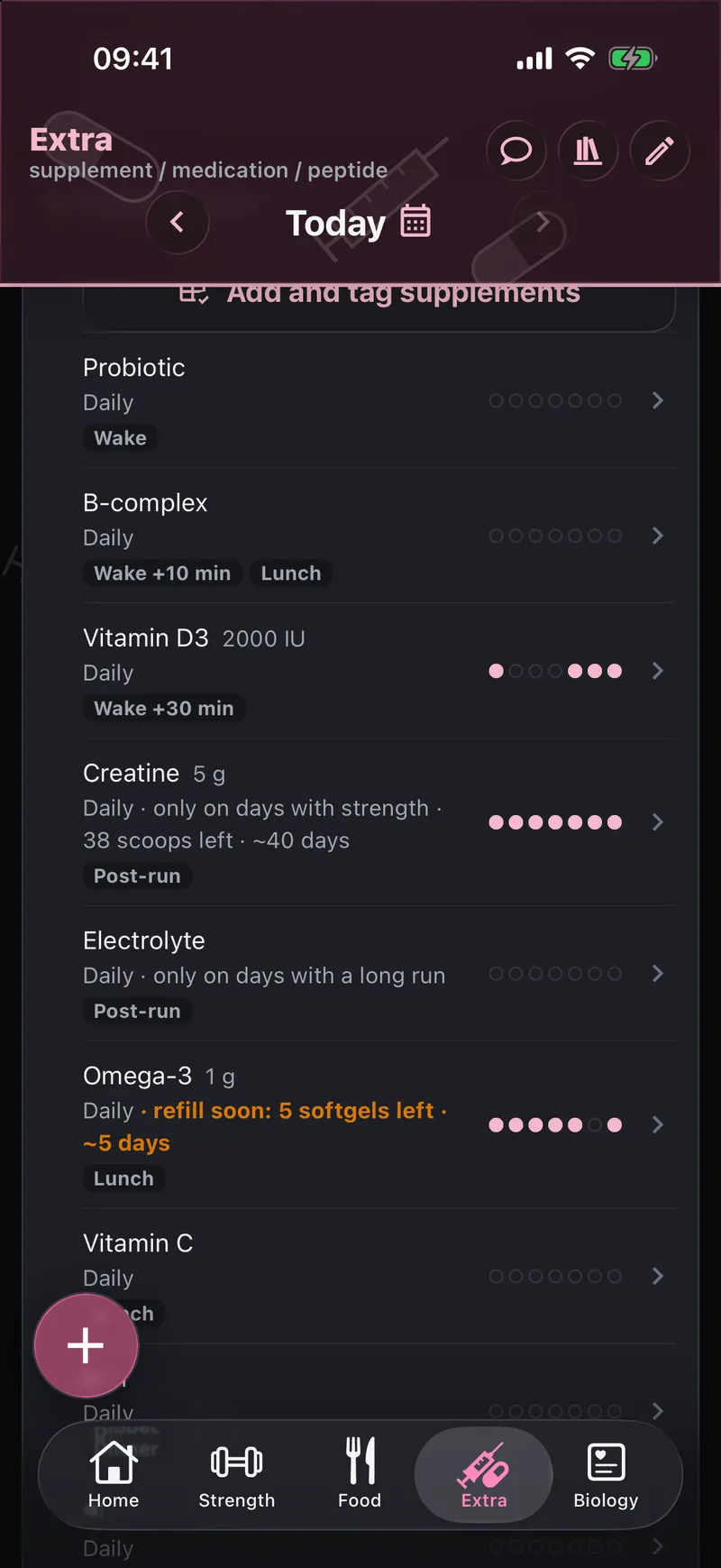
- Tap the box and it is taken. Tap the name to open the item.
- Swipe left to skip an item for the day. A switch hides what is taken or skipped.
- Each item shows its moment and dose, and the time you took it.
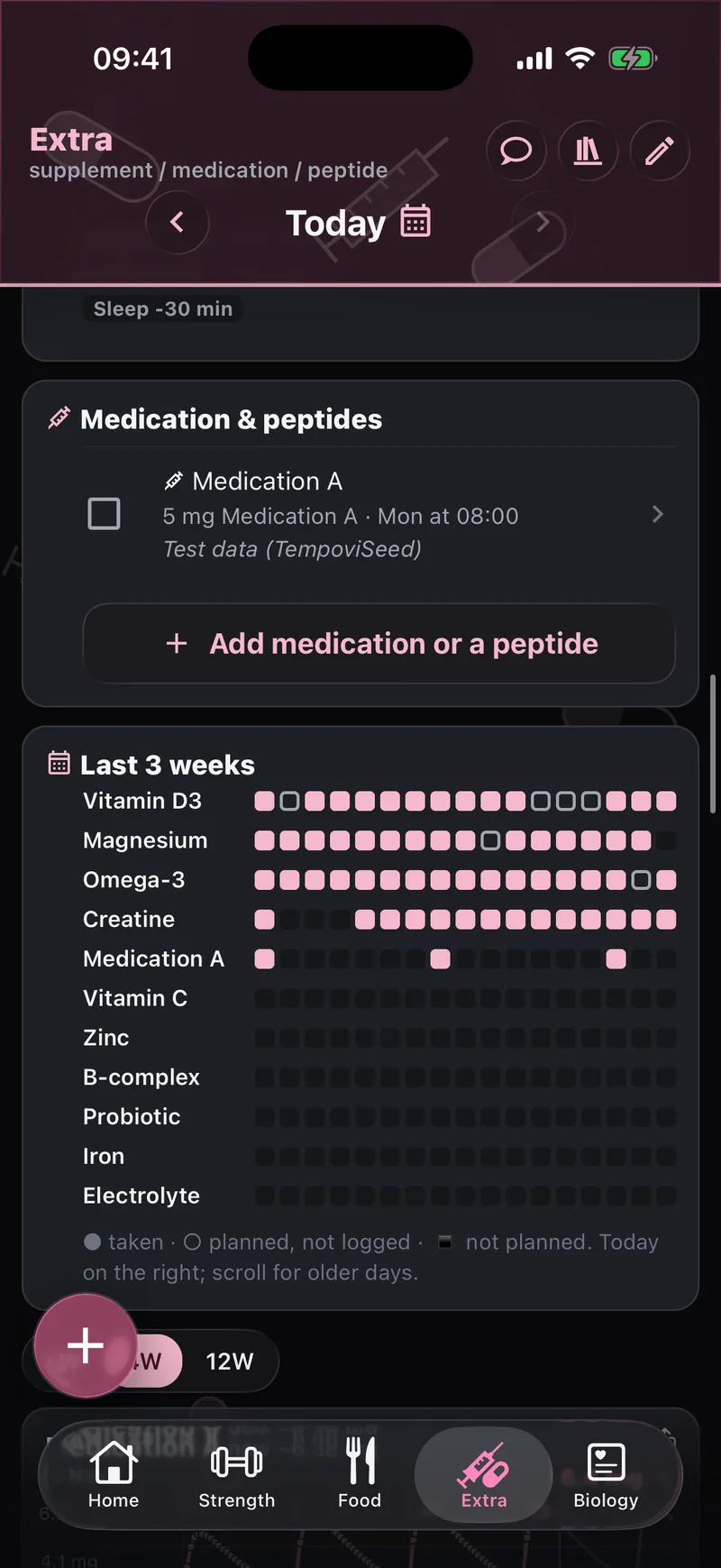
- Medication has its own card, with a box per item.
- The round + button — which you can move — adds a supplement or medication, next to Food.
The Take matrix.
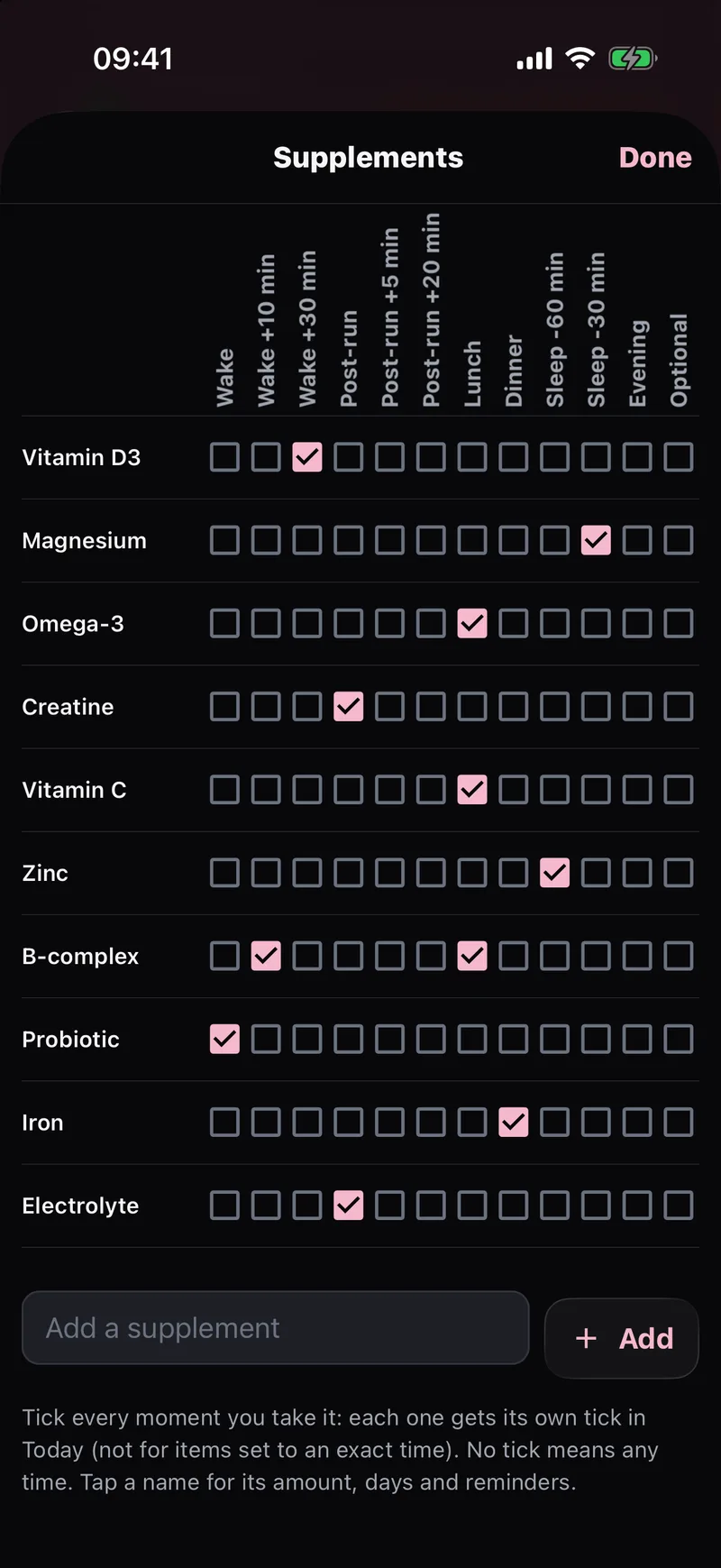
Supplements down the side, moments of the day across the top, plus an Optional column. It opens on the moment you are in now, worked out from your real wake-up, bedtime and the end of your workout.
- Tick a whole moment at once with ✓✓
- Go to any past day with the date picker
- Give each item a When tag — wake, after your workout, lunch, before bed — or mark it Optional
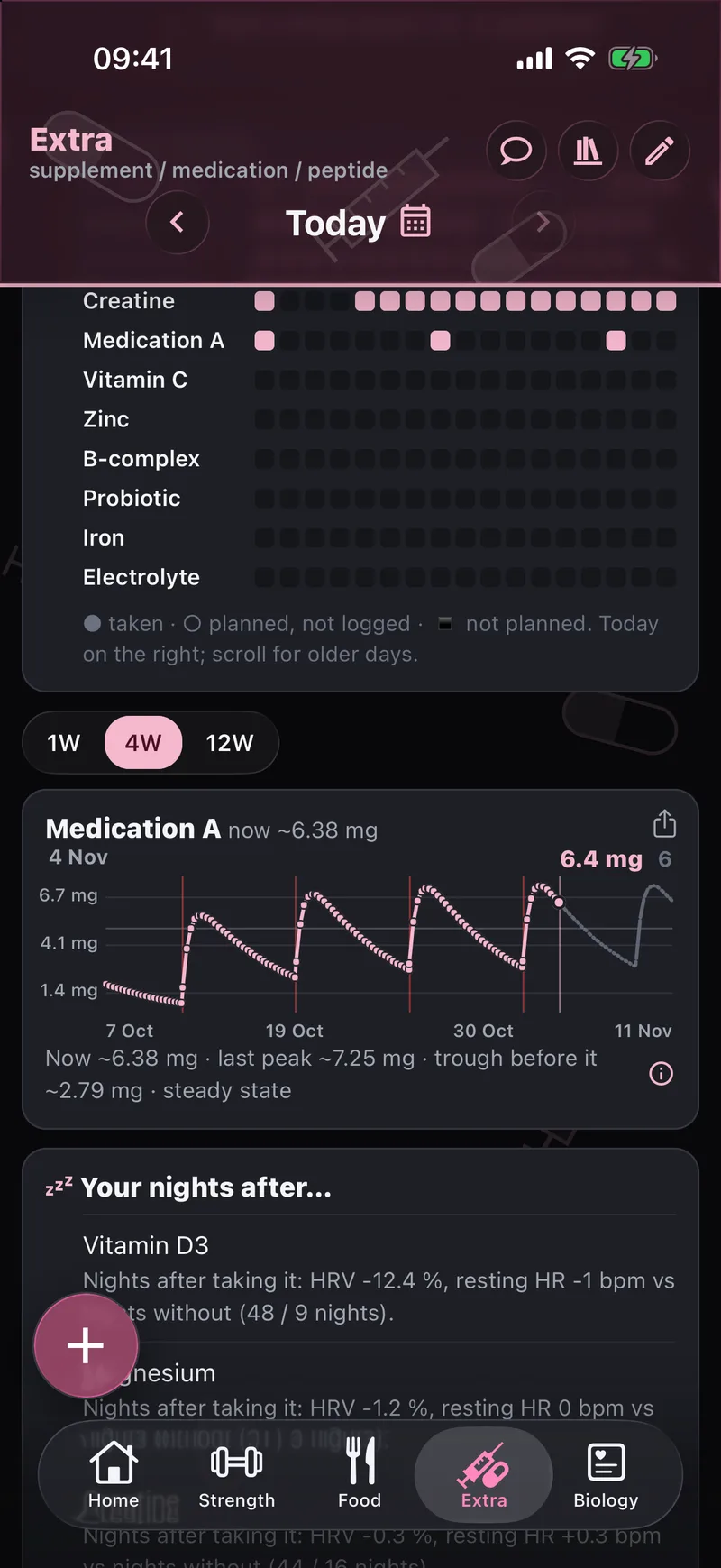
- Last 3 weeks — a grid of every item and every day: taken, planned but not logged, or not planned
- Fill history from a date, for every day or weekdays only
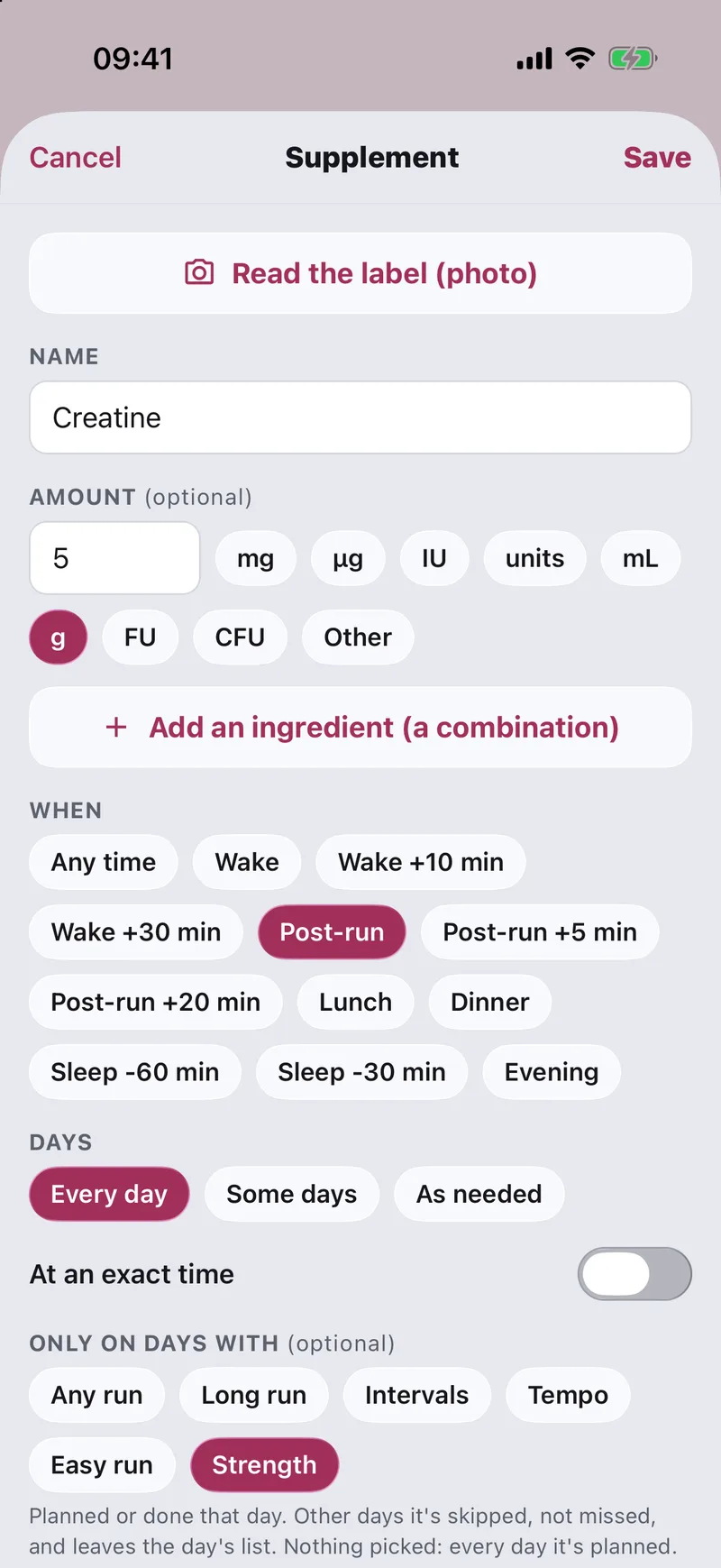
Linked to your training: only on days with…
Some things belong to a training day. Set an item to only on days with a run, a long run, intervals, tempo, an easy run or strength. Tempovi sees what your plan and your watch say you did, and on the other days the item shows as skipped, not missed.
- An electrolyte mix only after a long run; creatine only on lifting days
- Skipped days drop their reminder too, and they never count against you
- An item can also be taken after your workout — the moment follows the real end of the session
Your food log ticks them off.
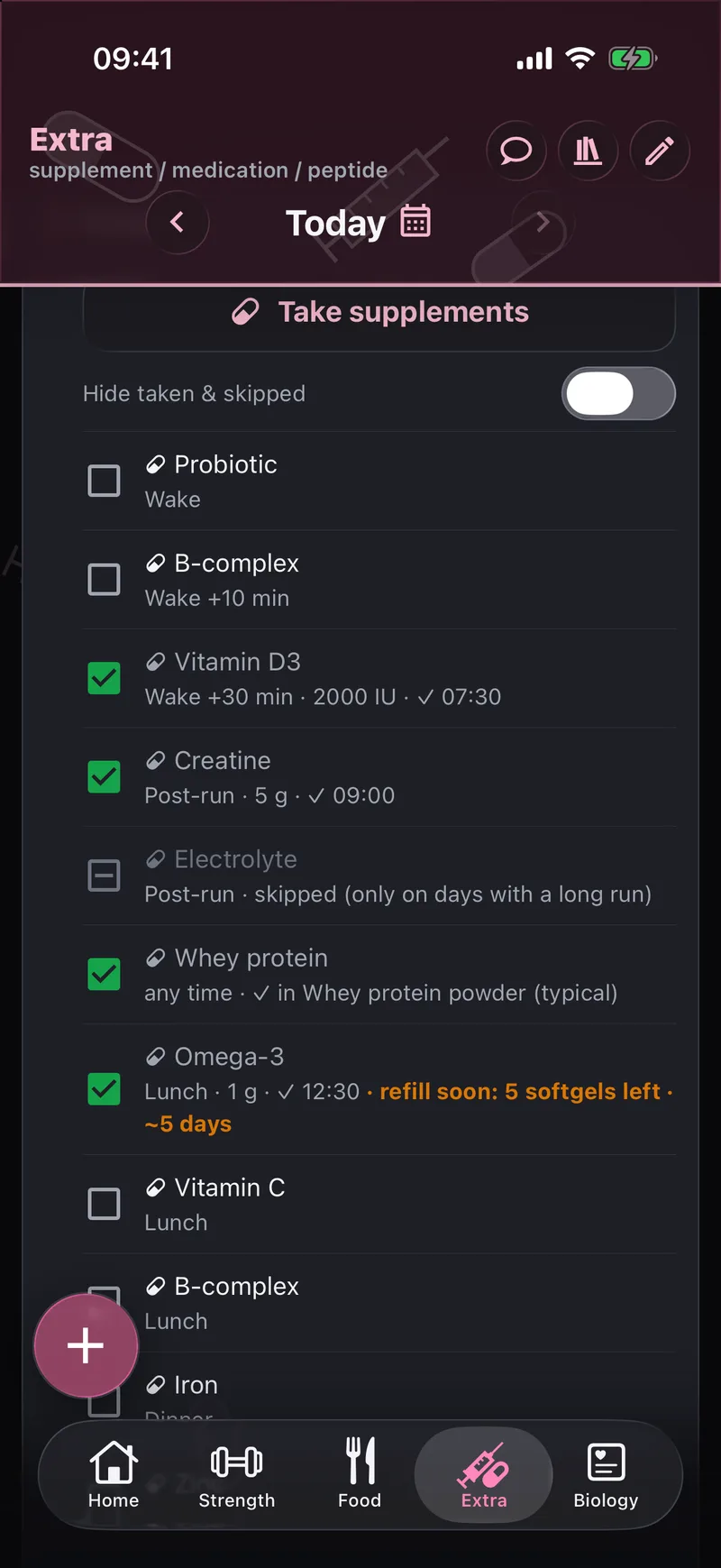
Log a meal that contains a supplement — your usual protein shake, a morning smoothie — and the matching item is ticked as taken, with the amount counted in your day totals. Undo a tick and that day stays off.
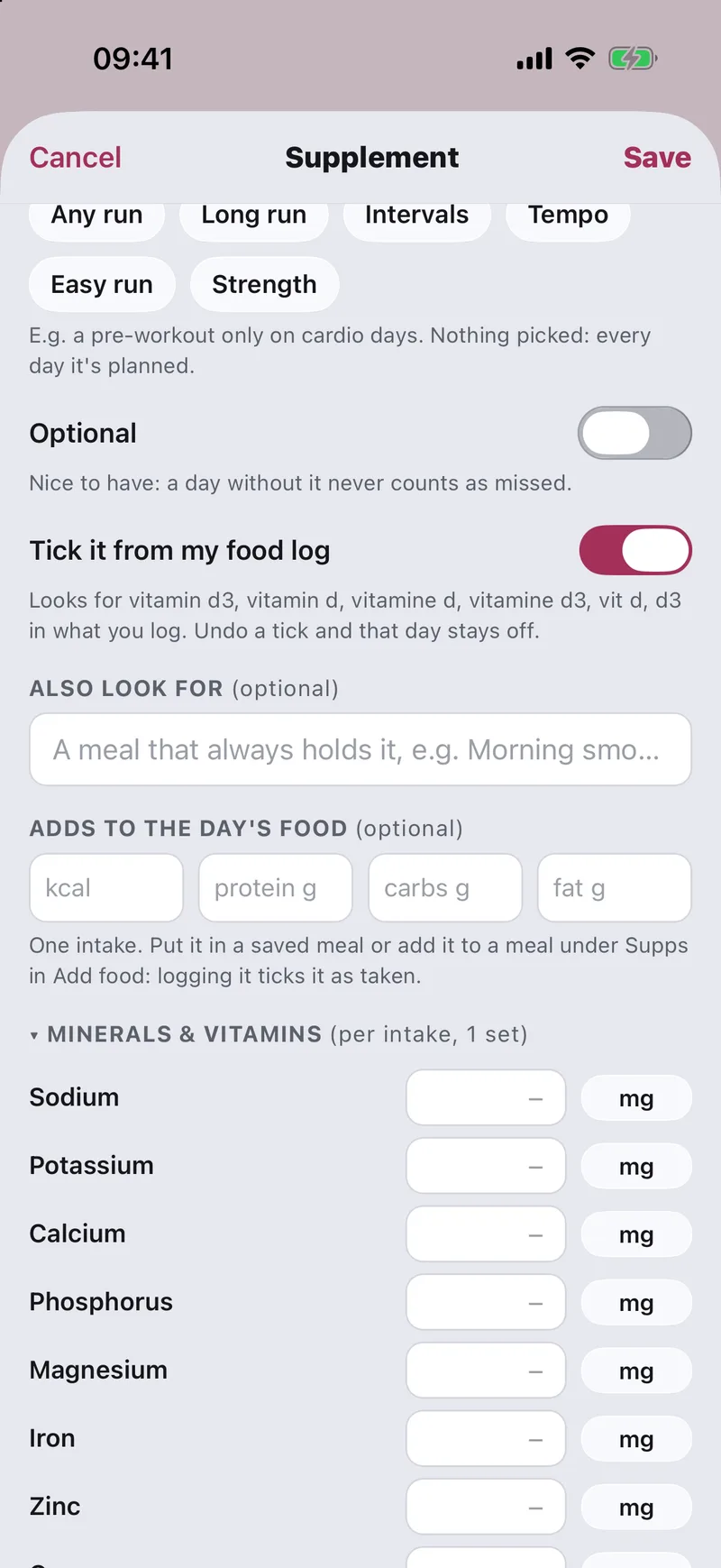
- Tick from my food log — Tempovi looks for the supplement’s name in what you log
- Also look for a meal you always have it in, like “morning smoothie”
- Add a calorie and macro line to the day’s food, so a shake counts as food too
Built for real supplements.
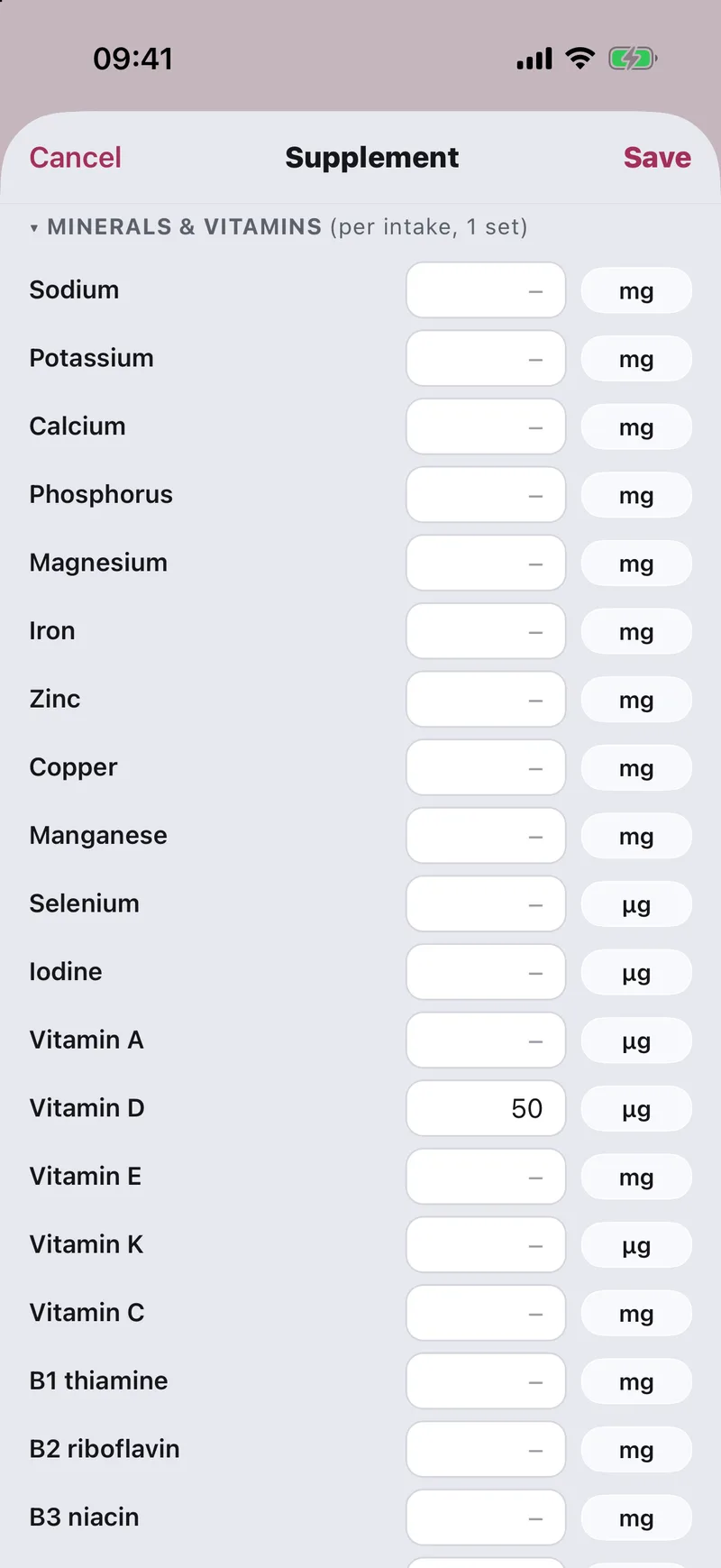
- Several ingredients per item, each with its own amount in g, mg, µg, IU, CFU or a unit you name
- Read a label from a photo AI · your key — the AI proposes the entry; you check it and save
- Minerals and vitamins count in your day totals and food hints, next to what you eat — see what supplied each one
- Move an item between supplement, medication and food, and add notes
Know when it’s running out.
Track how many are left and Tempovi counts down from your intake log. When it’s time to reorder, the item says so in orange — “refill soon: 5 softgels left · ~5 days”.
- Set how many one intake uses and how many days ahead to warn you
- Set the pack size and a one-tap Refilled adds it back
Estimated level curves.
For each item you can show a curve of how much may be in your body over time. These are estimates from published half-lives, not measurements and not blood levels. Switch them on or off per item; the (i) button explains how they are built.
Information only, not medical advice. Talk to a doctor about anything medical.
Your nights after…
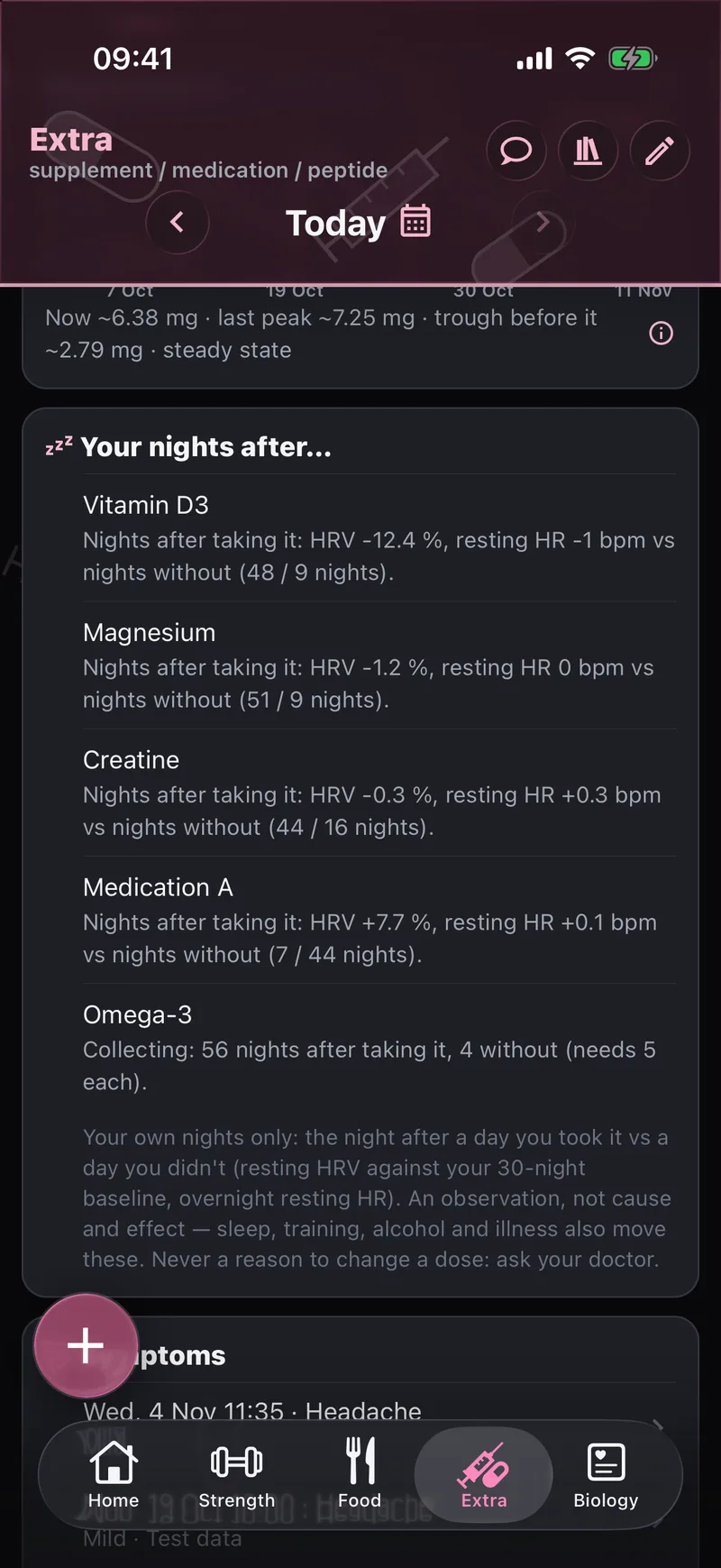
For each item, Tempovi compares the nights after a day you took it with the nights after a day you didn’t: your overnight HRV against your own baseline, and your resting heart rate. A line like “HRV −12.4 %, resting HR −1 bpm vs nights without it (48 / 9 nights)” is the result — with the number of nights behind it.
- It waits until it has enough nights on both sides, and says how many it’s still collecting
- Built from your data, not a study of other people
An observation, not cause and effect: sleep, training, alcohol and illness move these numbers too. Never a reason to change a dose — ask your doctor.
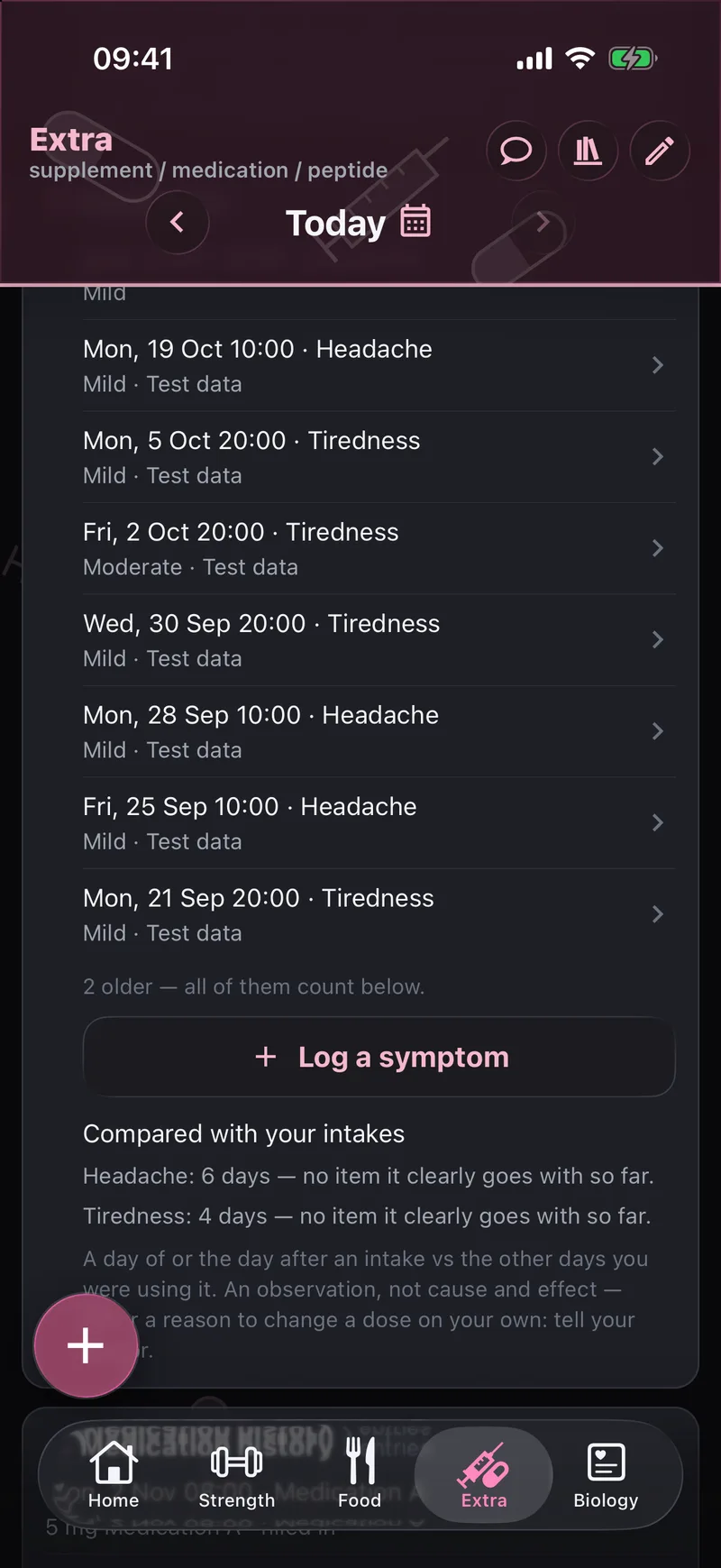
Symptoms, set against your intakes.
Log a headache, tiredness or anything else in a couple of taps — with a level and a note. Tempovi sets your log next to what you took, and tells you plainly when nothing lines up.
- Shown as “no item clearly goes with so far” until there is something real to show
- Each entry keeps its date, time, level and note
Information only; it can’t tell you the cause of a symptom. Talk to a doctor about anything that worries you.
Reminders that fit.
Reminders come with a Taken ✓ button, so you can tick the item without opening the app. Days an item is skipped drop their reminder.
A chat that knows your blood tests. AI · your key
The Extra chat grounds its answers in your own data: the latest value and date of each blood marker linked to what you take, your dose log, and your last 14 nights of sleep. Every AI chat in Tempovi also knows what you take.
AI is optional and uses your own key. Everything else on this page works without it. Import your lab results in Biology.
How to AI coach & keysMake Extra yours.
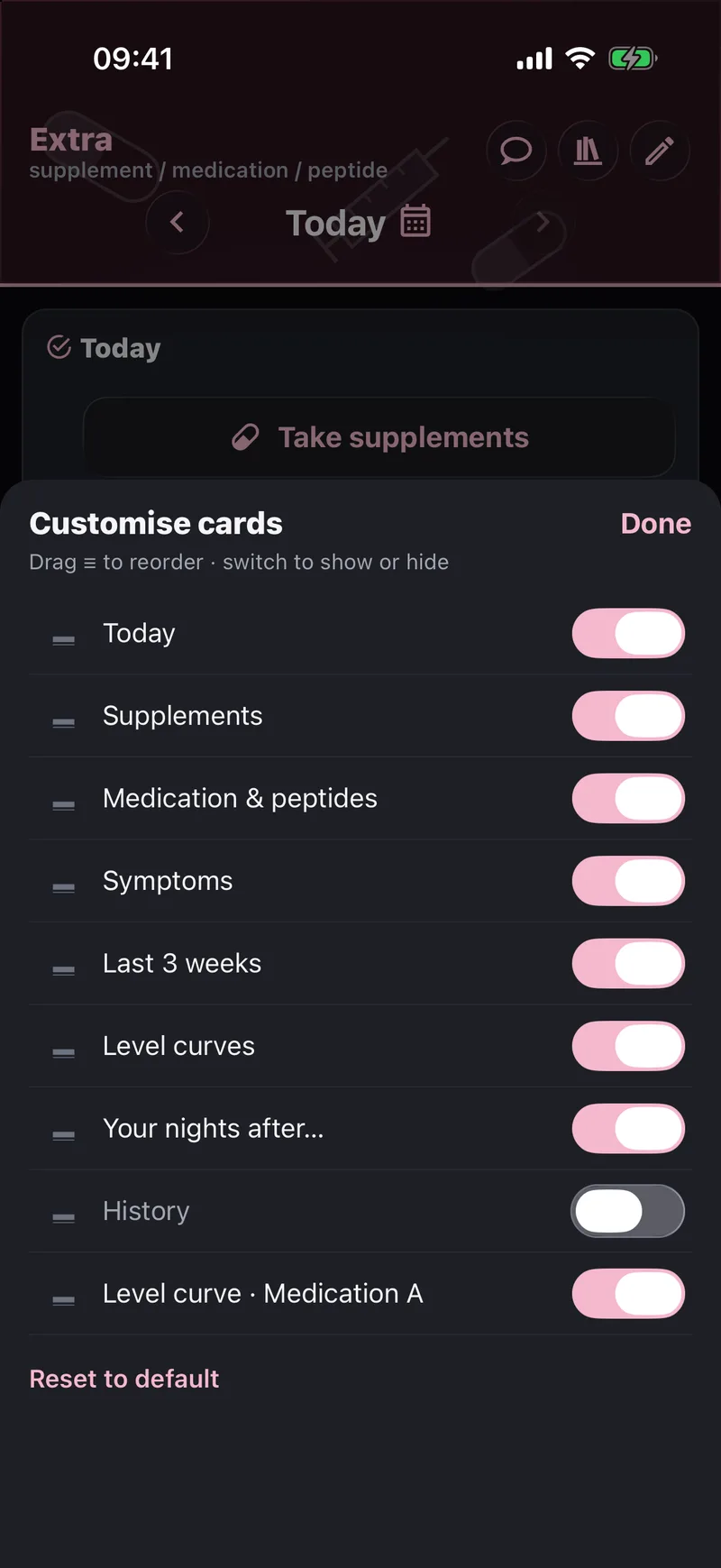
Tap the pencil to reorder the cards, switch off the ones you don’t use and bring back the ones you do: Today, Supplements, Medication, Symptoms, Last 3 weeks, Level curves, Your nights after.