Features · Planning
From tomorrow to race day.
The Daily Coach looks at today. Planning looks further: this week around your real life, the whole season towards a goal race, and what a trip will cost your fitness before you pack. All of it is calculated on your iPhone by fixed rules — no AI needed.
A week that fits your real week.
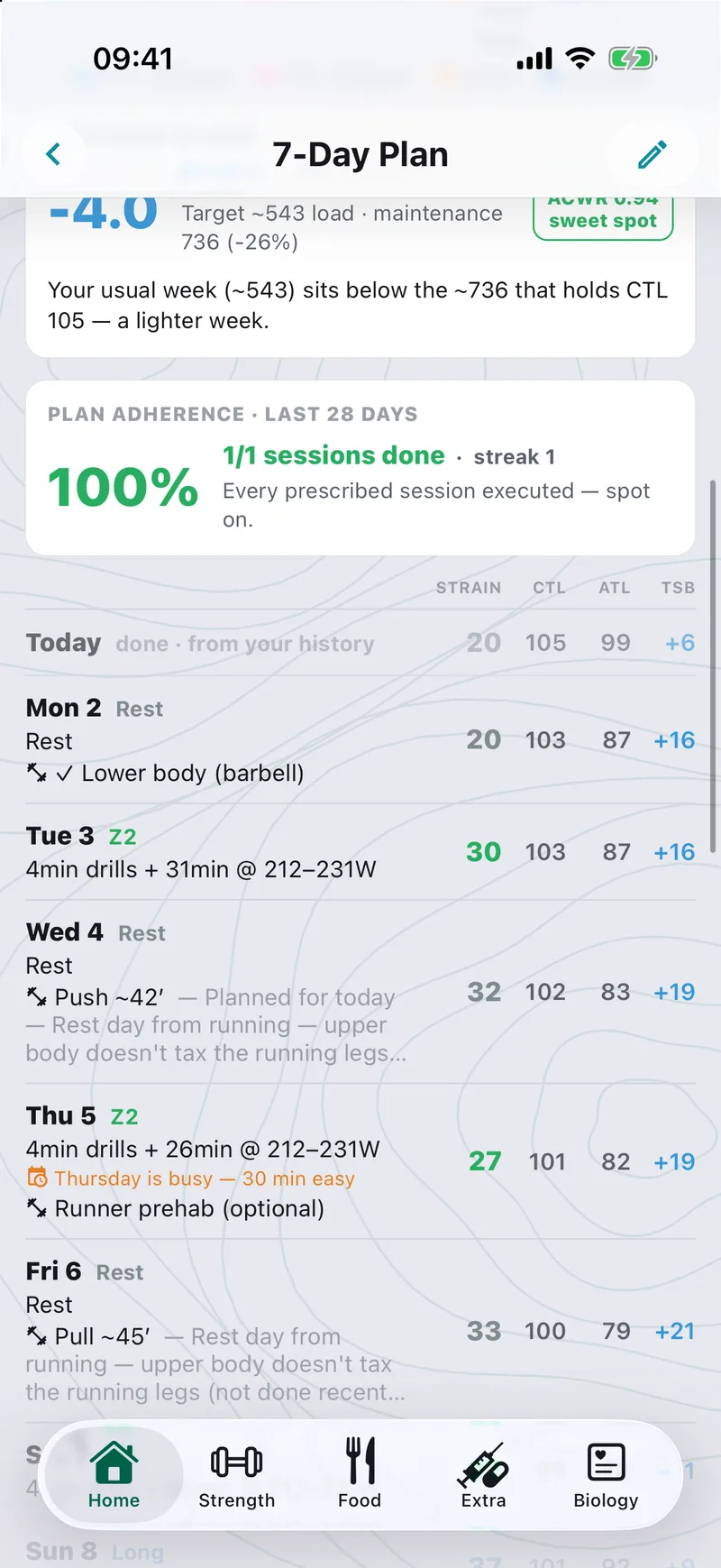
The 7-Day Plan lays out every day with its projected fitness, fatigue and form (CTL, ATL, TSB), so you can see exactly why Thursday is easy — and why Saturday is the long one.
- Built around your week — your usual training days and long-run day, plus standing commitments like football, climbing, dance or the gym, so a hard session never lands the evening before one
- Periodization — build weeks followed by a lighter deload week, by default 3 + 1
- Strength fits in — lifting days slot next to your cardio, or a Strength focus week where lifting leads and cardio stays easy
- Plans around your calendar (optional) — Tempovi reads only the busy times in your iPhone calendar: a packed day gets a short easy session or rest, and the long run or intervals move to a day with room. Event titles never leave your phone
- Today’s plan stays fixed until you change it; a quality session that doesn’t fit is deferred to a later day, not forced in
Then look back at it.
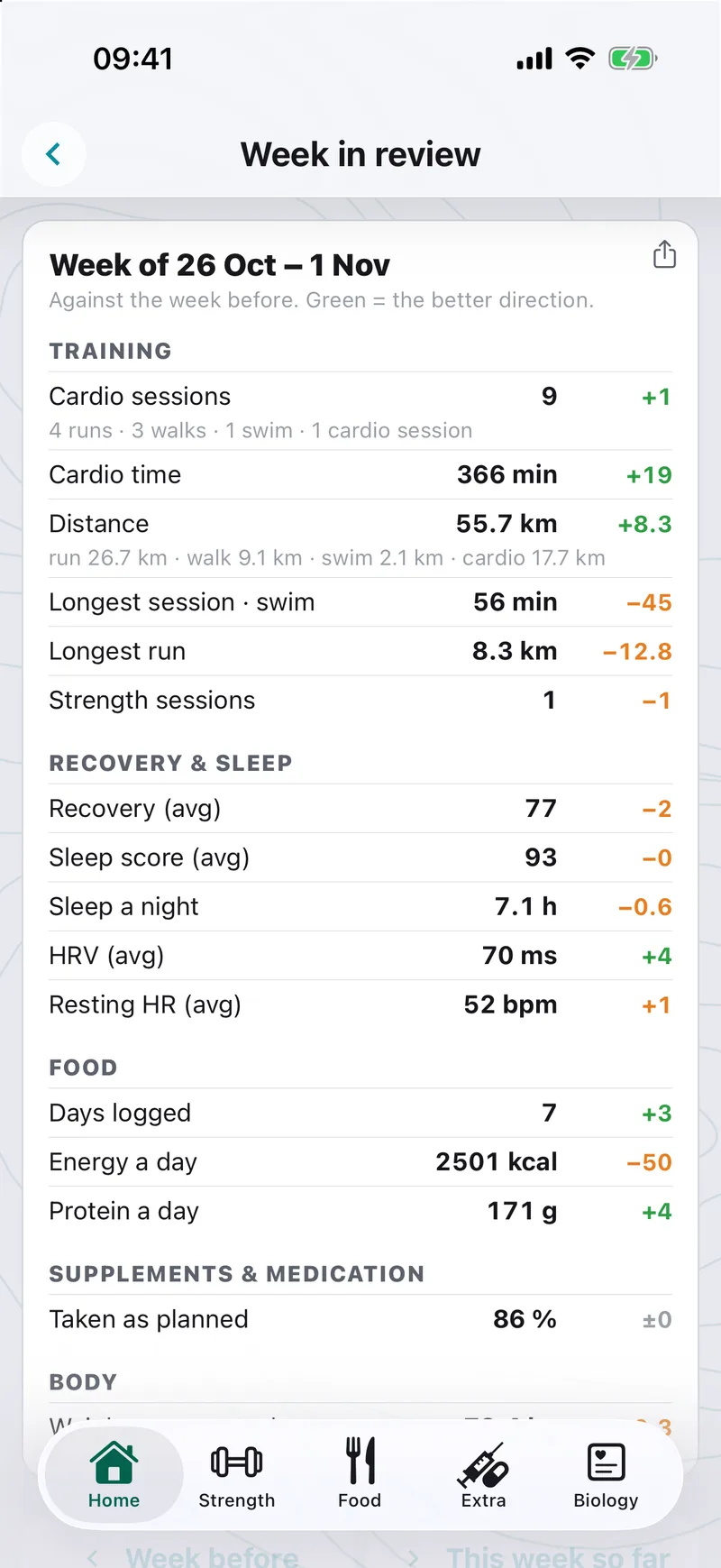
Week in review puts last week next to the one before, with green for the better direction: training, recovery and sleep, food, supplements and body — one screen.
- Sessions, time, distance and longest session, split by sport
- Average recovery, sleep score, HRV and resting heart rate
- Energy and protein a day, and how much of your supplements and medication you took as planned
A season plan to your goal race.
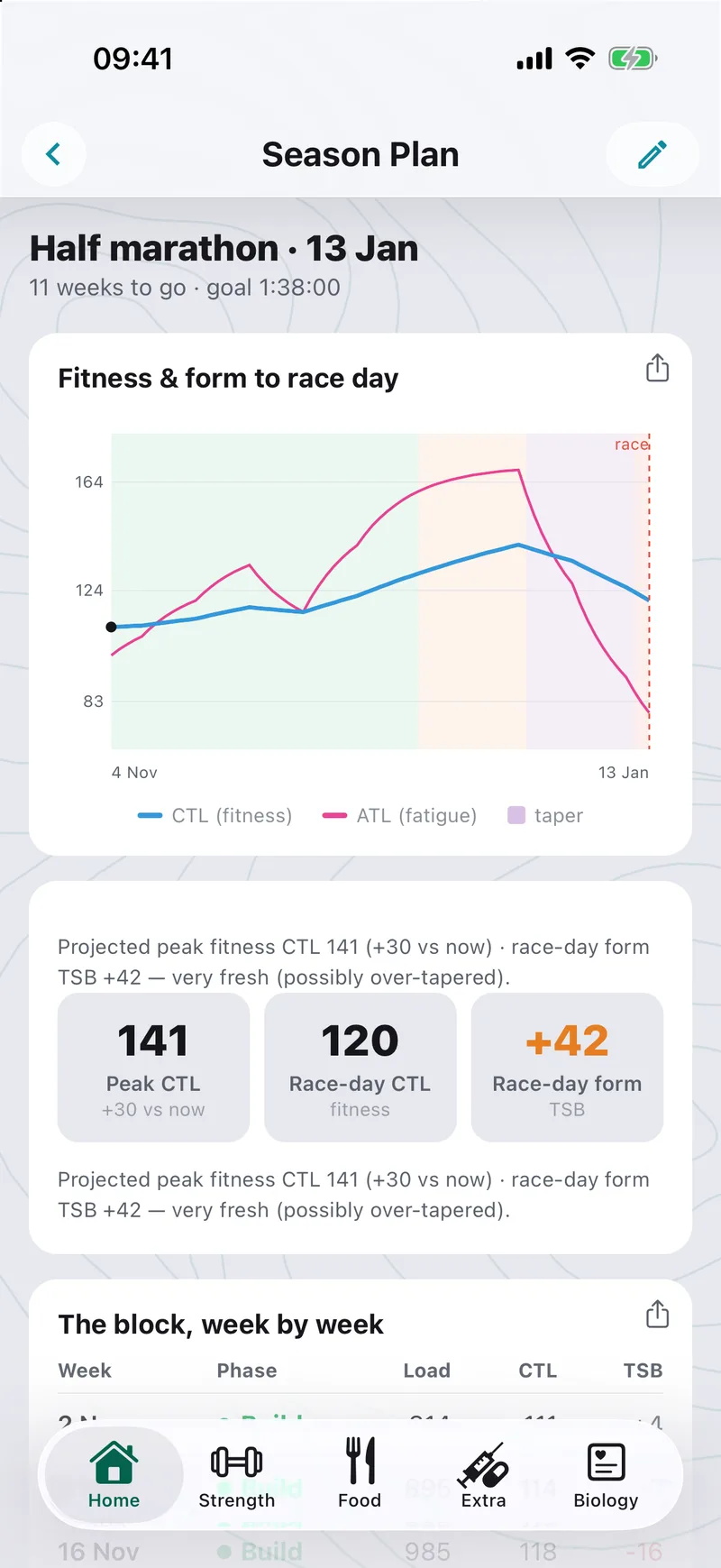
Set a race and a goal time. Tempovi builds Base → Build → Peak → Taper backwards from race day and projects your fitness along the way, so you see whether you arrive fresh.
- The fitness-and-form curve to race day, with the phases shaded
- Projected peak fitness and race-day form, with a note on how fresh you’ll be at the start line
- The block, week by week — phase, load, fitness, fatigue and form
- Add it to your calendar (.ics): one entry a week plus race day
Race times from your real race.
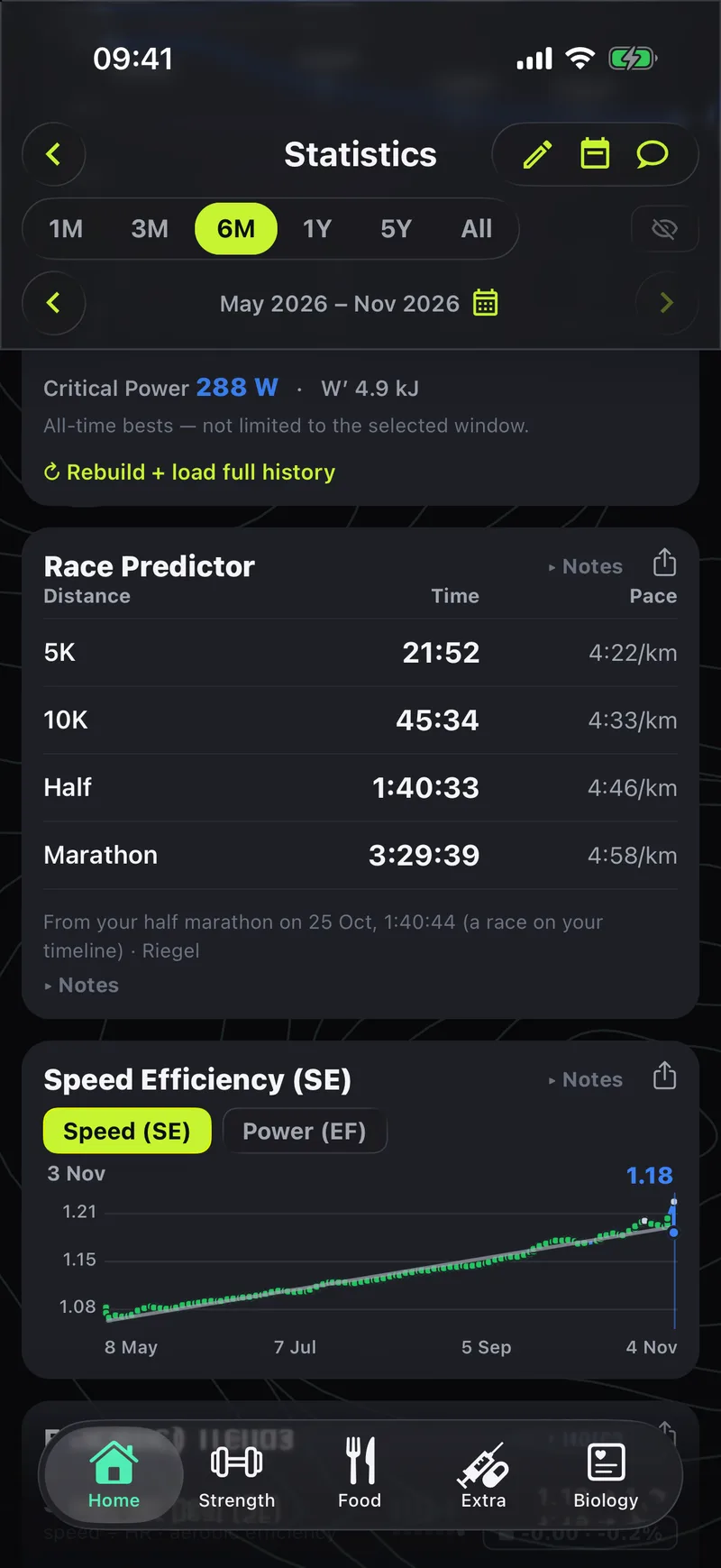
The Race Predictor estimates 5K, 10K, half and marathon — and it anchors on a race you actually ran. Put it on your Timeline and the predictions start from that result, not from a generic formula.
- Predicted time and pace for each distance
- Shows what it was based on, so you can judge how far to trust it
- Next to it: critical power, speed efficiency and the rest of the instrument panel
What will this trip do to my fitness?
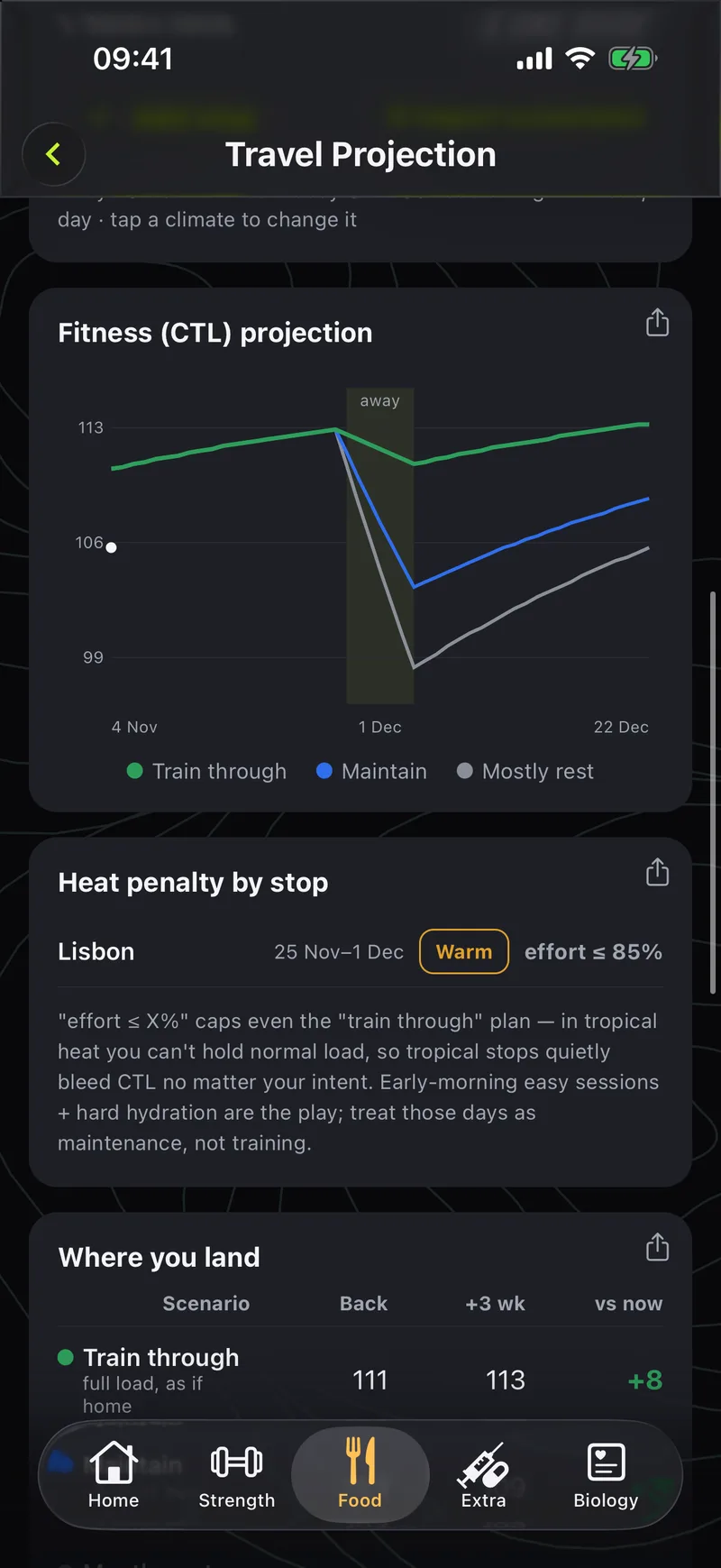
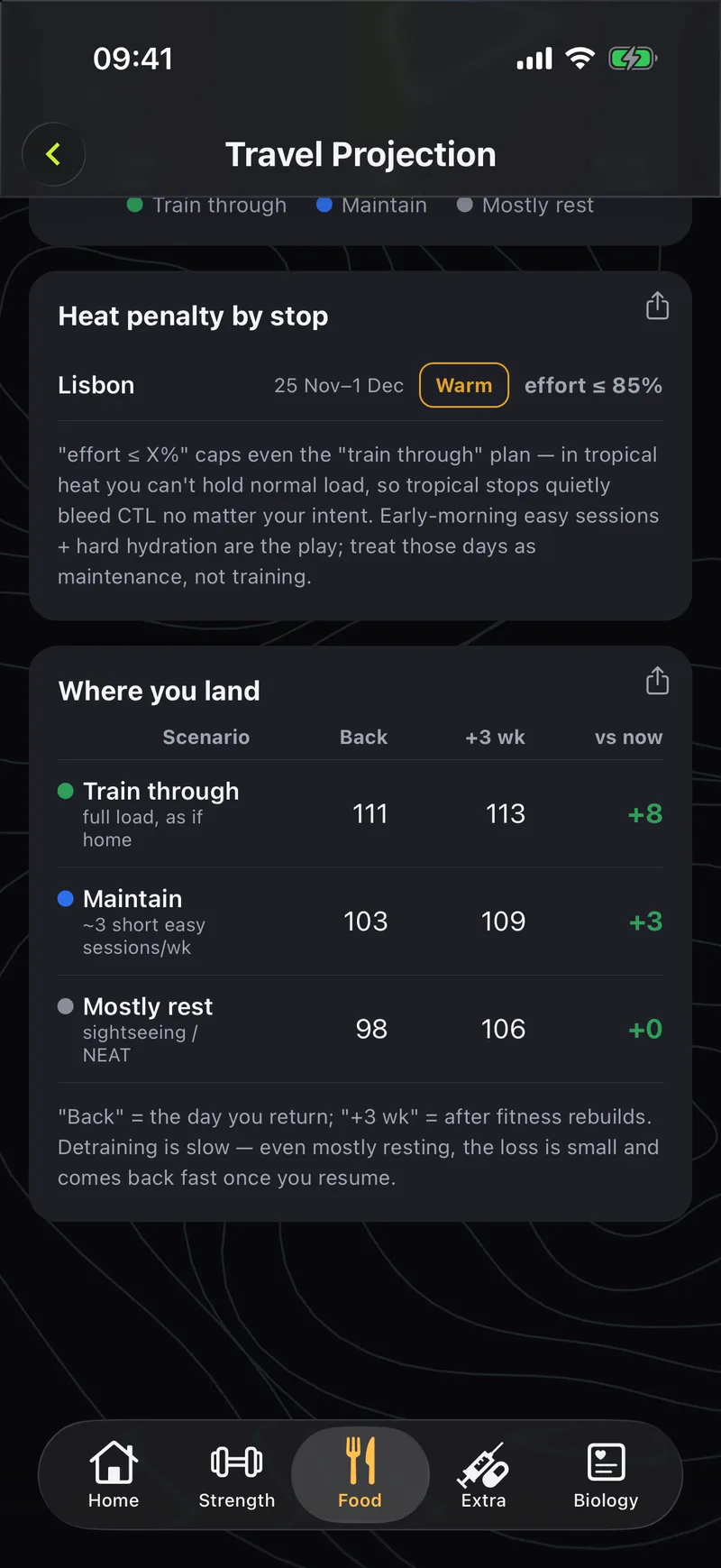
Going away? Travel projection shows what the weeks around a trip do to your fitness — before you go. Pick how you’ll handle it and compare the landings.
- Train through, maintain or mostly rest — three scenarios on one fitness curve
- Where you land — your fitness when you’re back, three weeks later, and against today
- Heat penalty by stop — a warm destination caps what effort is realistic, so the projection doesn’t promise what the climate won’t allow
- Add dated stops and save trips by name, so the coach knows when you’re away
Tell it what’s going on in your life.
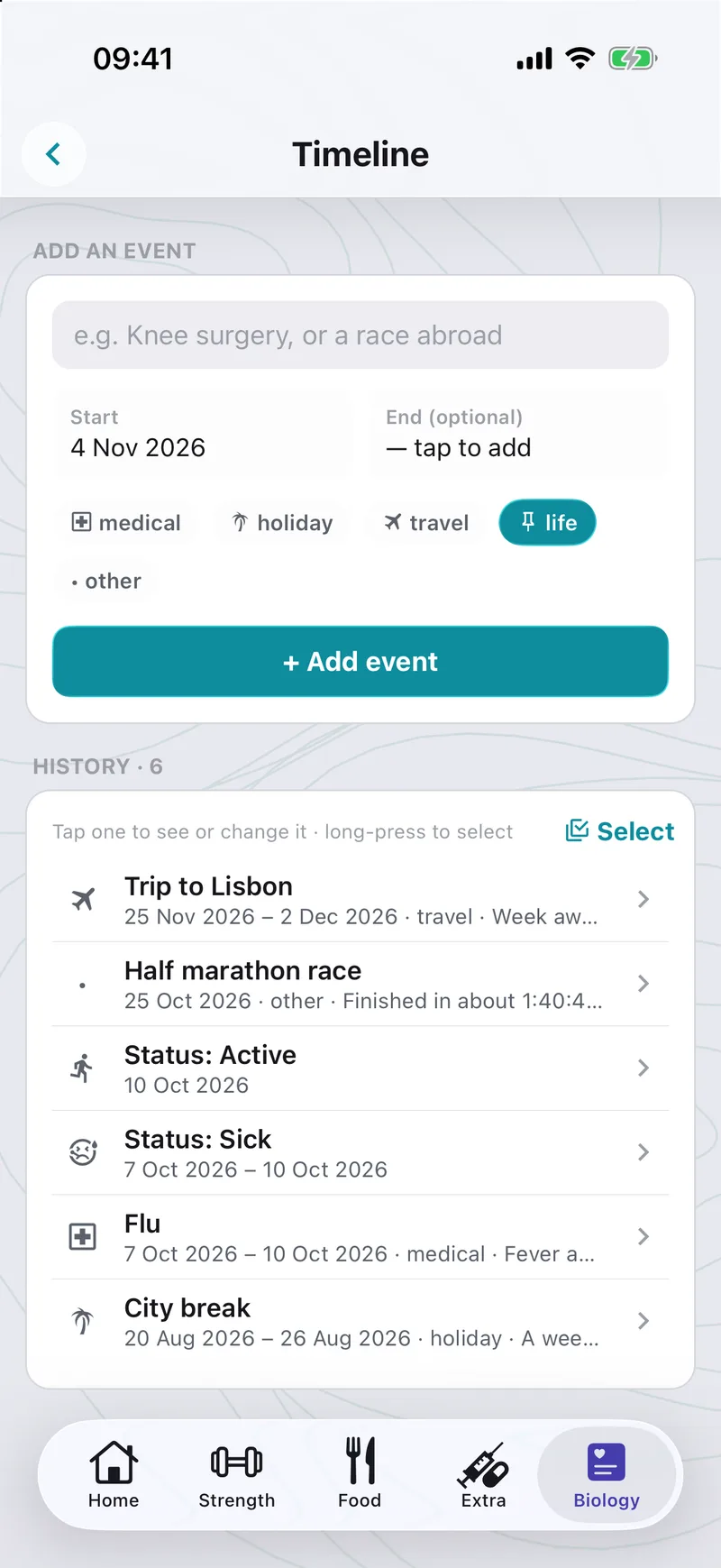
The Timeline holds your life events — a race, a trip, an illness, an injury, a holiday. They show on the charts, and a sick spell or a break makes the plan back off and come back gradually.
- Add an event in a few taps: medical, holiday, travel, life or other, with start and optional end
- See them as markers on Statistics and Biology, next to the numbers they explain
- A race you add here becomes the starting point for the race predictor